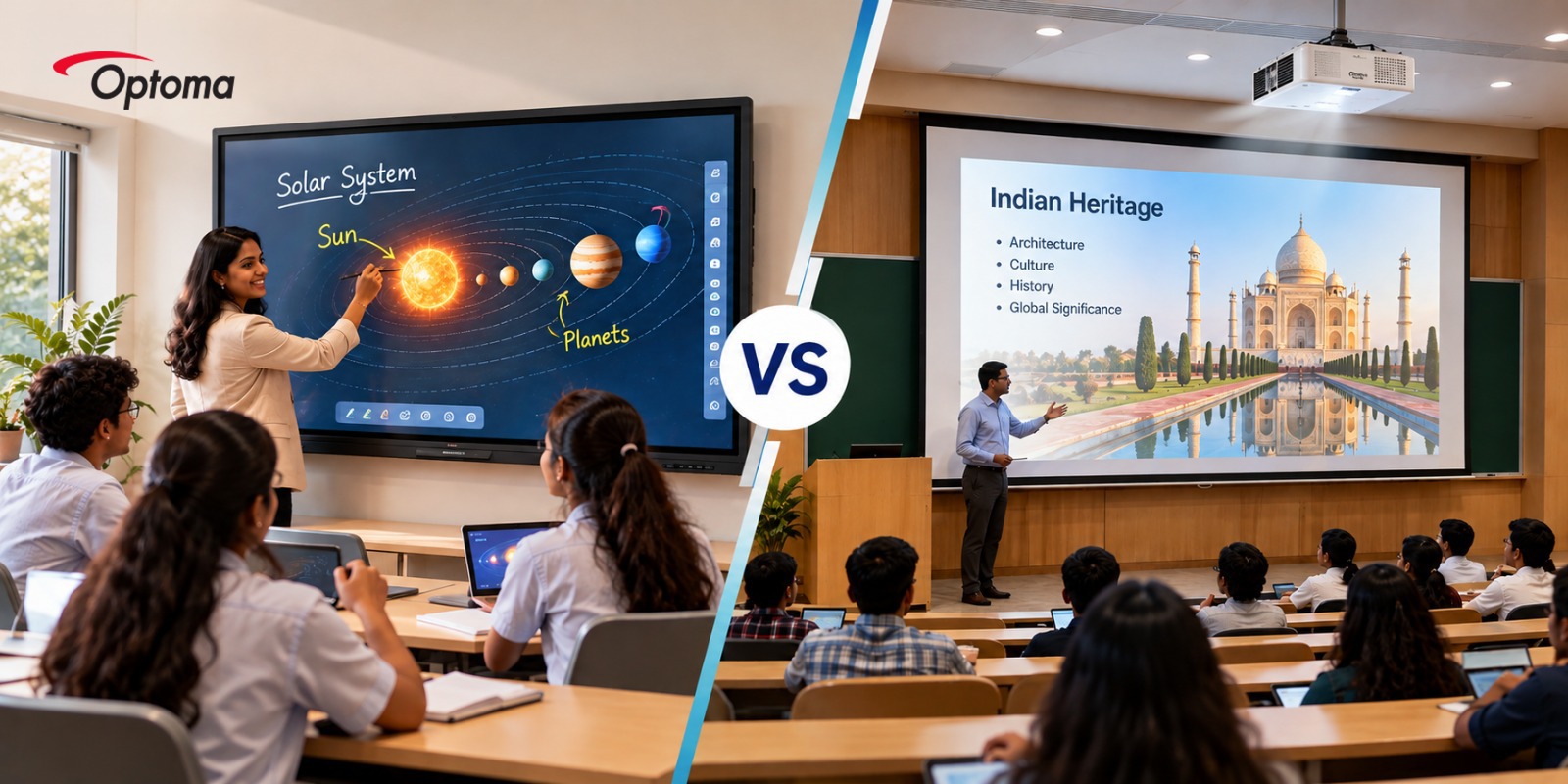
Interactive Flat Panel vs Projector: Which Is
Better for Indian Schools and Colleges?
When comparing an interactive flat panel vs projector, it is important
to consider factors such as classroom size, teaching requirements, viewing
distance and available budget.
Digital teaching has
changed the way classrooms work. Teachers today use videos, presentations, online resources and interactive content
to make lessons more engaging. When considering an interactive flat panel vs
projector, schools and colleges need to evaluate their classroom requirements,
teaching methods and available infrastructure. But choosing the right display
technology can be a challenge. Should a school invest in an interactive flat
panel, or is a projector still the
better choice?
The answer depends on
the classroom, teaching style, viewing distance and budget. Both technologies
have their strengths, and understanding these differences can help schools and
colleges make a more informed decision.
Interactive Flat
Panel vs Projector: Understanding the Difference
An interactive
flat panel is a large touchscreen display that allows teachers and students
to interact directly with what is on the screen. It can be used for
presentations, annotations, videos, lessons and collaborative activities.
A projector, on the
other hand, creates a large image on a screen or suitable surface. A projector
for classroom use can be a practical choice when a larger viewing area is
needed or when an institution already has projection infrastructure.
Optoma offers both
display options, allowing educational institutions to choose based on the needs
of each space rather than following a one-size-fits-all approach.
Interactive Flat
Panel for Education
For classrooms where
interaction and collaboration are important, an interactive flat panel for
education can offer a more direct teaching experience. Teachers can write on
the screen, explain concepts visually and involve students in activities
without needing separate interactive equipment.
Optoma's Creative
Touch 33 Series takes this experience further with built-in AI-enabled
tools. The Creative Touch 33 Series includes tools built for interactive
teaching. AI Whiteboard supports digital lessons, while Infinity
Canvas gives teachers more space to organise content. Handwriting
Recognition converts handwritten notes into digital text, and AI Math
helps recognise and solve mathematical expressions. Teachers can also use AIGC
Sticky Notes to generate ideas, questions and prompts for classroom activities.
The Creative Touch 33
Series is also Google EDLA certified, giving teachers access to the
Google ecosystem and Google Play. With Optoma AI, users can access
features such as real-time Q&A support, voice commands, AI drawing and
image search directly through the interactive display.
For schools managing
multiple classrooms, Optoma Management Suite (OMS) can help IT teams
monitor and manage displays remotely, including device monitoring, diagnosis
and broadcasting announcements. This makes the display useful not only inside
the classroom, but also as part of a larger digital learning environment
Available in
different sizes, the Creative Touch 33 Series gives institutions flexibility
when choosing an interactive display for schools based on classroom size and
viewing distance. For modern classrooms, the combination of touch, AI tools,
Google integration and device management makes the interactive flat panel more
than just a screen. It becomes a teaching and collaboration tool.
Projector for
Classroom: When Does It Make Sense?
Projectors continue
to have an important role in education. A projector
for classroom use can deliver a large image while keeping the overall
setup relatively straightforward. It can also be a suitable option for
institutions working with existing projection screens or looking for a more
cost-conscious display solution.
For schools and
colleges looking at an entry-level option, Optoma's X400LVeN and W400LVeN provide examples
of conventional lamp-based projectors that can be considered for classroom
applications.
Projectors can also
make sense when the classroom needs a larger image than a fixed display can
provide. However, factors such as room lighting, projector placement and screen
quality should be considered before making a decision.
Short-Throw
Projectors for Classrooms
Classroom layouts can
vary widely, especially in schools and colleges where space is limited. This is
where a short-throw projector can offer an advantage.
Optoma's ZU600UST is an example
of a short-throw solution for educational spaces. With 6,000 lumens, WUXGA
resolution and an ultra-short throw design, it delivers bright visuals even in
classrooms with ambient light. Its close-to-wall placement also helps minimise
shadows and glare, allowing teachers to present content without blocking the
screen.
For classrooms that
need a large projected image but have limited installation space, this type of projector
for classroom can be worth considering.
What About Large
Lecture Halls and Auditoriums?
The requirements
change when the space becomes much larger. College lecture halls, auditoriums
and other institutional spaces may need high brightness and large-format
projection to ensure content remains clear for audiences sitting further away.
This is where
Optoma's professional AV range becomes relevant. The ZK810T delivers 8,500
lumens, 4K UHD resolution and a laser light source, making it suitable for
large spaces that need bright, detailed and reliable projection. For these
environments, a professional projector can be a more practical choice than a
fixed interactive display.
Interactive Flat
Panel vs Projector: Which Should You Choose?
There is no single
answer when it comes to interactive flat panel vs projector. The better
choice depends on the space, the teaching environment and how the display will
be used.
For everyday
classrooms, an interactive flat panel can be the stronger choice. It
supports direct interaction, collaborative teaching and hybrid learning, while
allowing teachers to use digital content, annotate lessons and involve students
more actively. An interactive display for schools can become a central
part of this learning environment.
Projectors continue to have an important role
where a much larger image is required. A projector for classroom use can
be particularly useful in larger classrooms, lecture halls and auditoriums,
where students may be seated further away from the screen.
The Right Display Depends
on the Classroom
The decision becomes
easier when the needs of the space are considered first. A classroom built
around discussion, collaboration and interactive teaching may benefit more from
an interactive flat panel for education, while a large lecture hall may
need the scale and flexibility of projection.
For schools and
colleges, this also means that there may not be one display technology that
works for every room. Different learning spaces can have different
requirements, and choosing the right solution for each one can make a bigger
difference to the overall teaching experience.
With its range of interactive displays,
classroom projectors, short-throw solutions and professional AV projectors,
Optoma gives educational institutions the flexibility to build display
solutions around their spaces and teaching needs.